Freeform Wooden iPad POS Stand Setup
Made from sustainably harvested wood, the Freeform Made iPad POS Stand makes a great addition to any countertop. Follow along below to learn how to install your iPad in the Freeform stand.
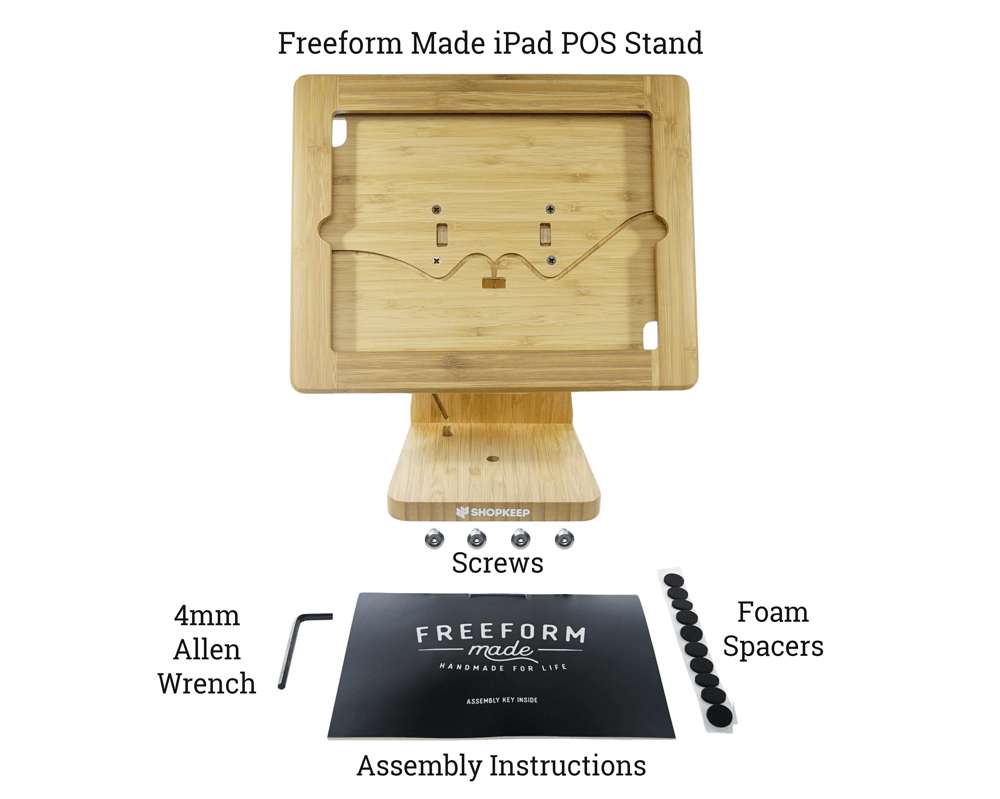
In the Box
The Freeform Made iPad POS Stand ships with all of the parts listed below.
Stand Setup
Using just the included parts and pieces, assembling the Freeform is a breeze.
- Lift the face piece to separate it from the stand.
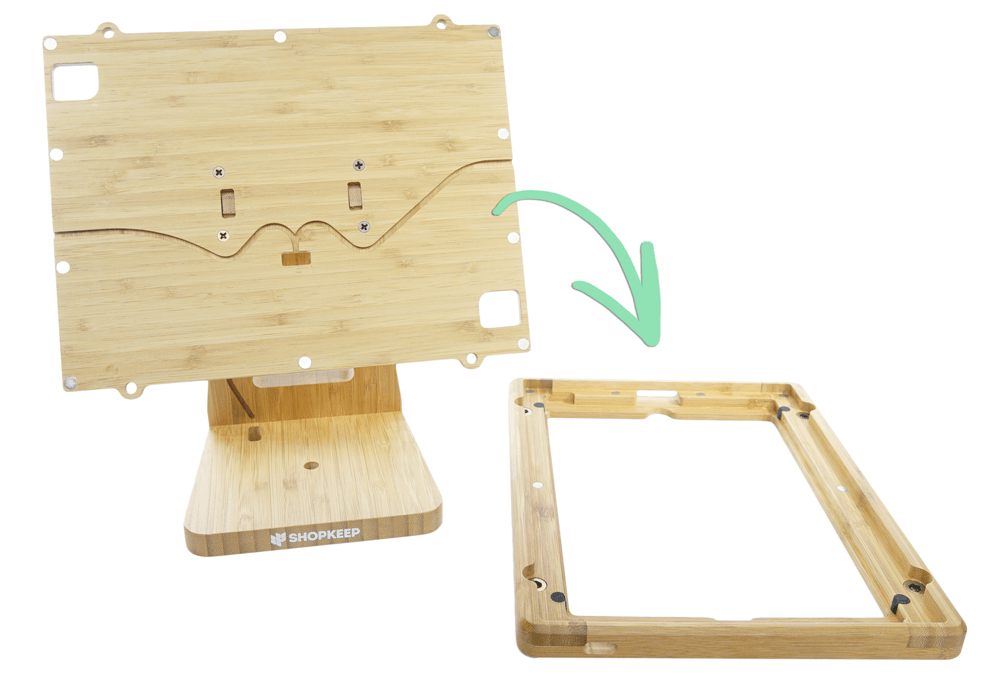
- If using an iPad Air 2 or 9.7” iPad Pro, attach 6 foam spacers to the stand as shown below.

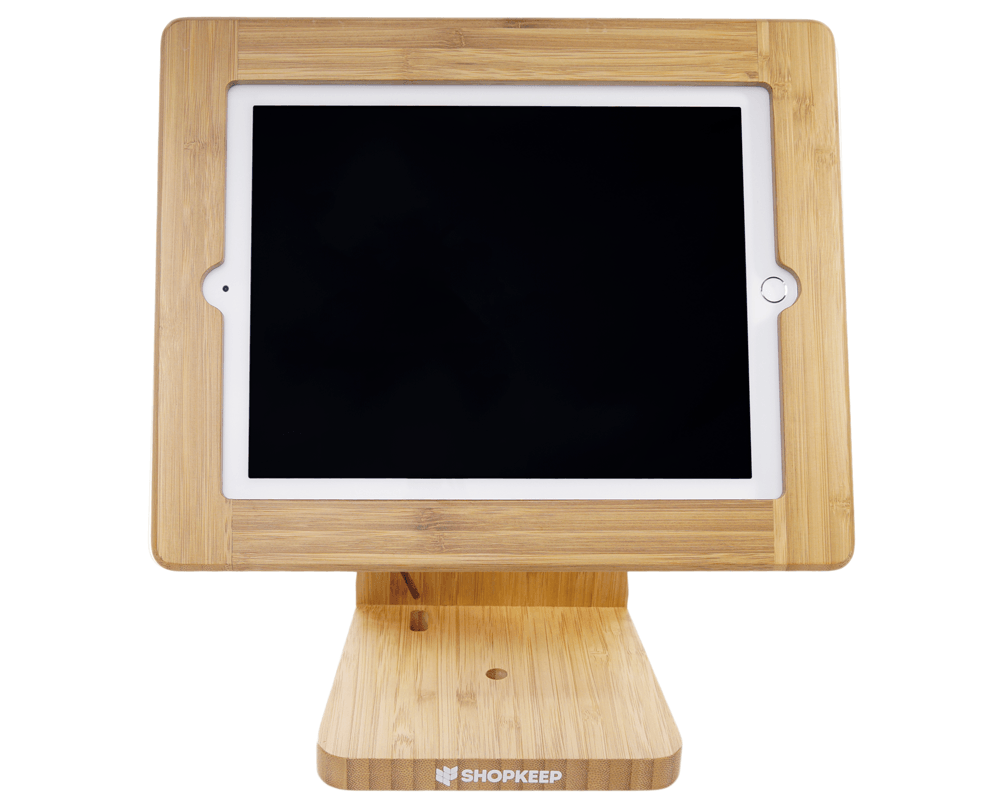
- Flatten the stand and place the iPad on it.

- Carefully reattach the face piece by placing it on top.
Be sure to align the cutout on the side of the face piece with the iPad charging port.
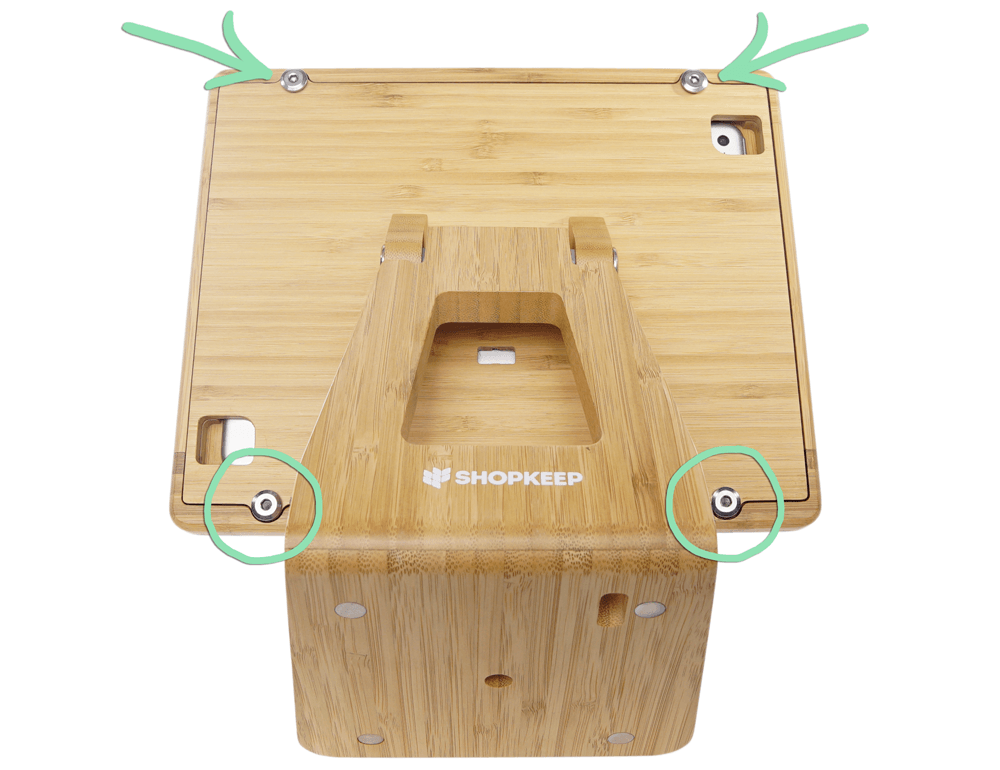
- Insert each screw into the back of the stand and tighten using the Allen wrench.
With setup complete, visit our Best Practices Guide to learn how to take care of the stand. Questions? Visit our FAQ or check out our troubleshooting guide for help with common issues.